Home Assistant
Linking CADIO account with Home Assistant
Using MQTT core integration
For integrating CADIO account with Home Assistant using MQTT core integration:
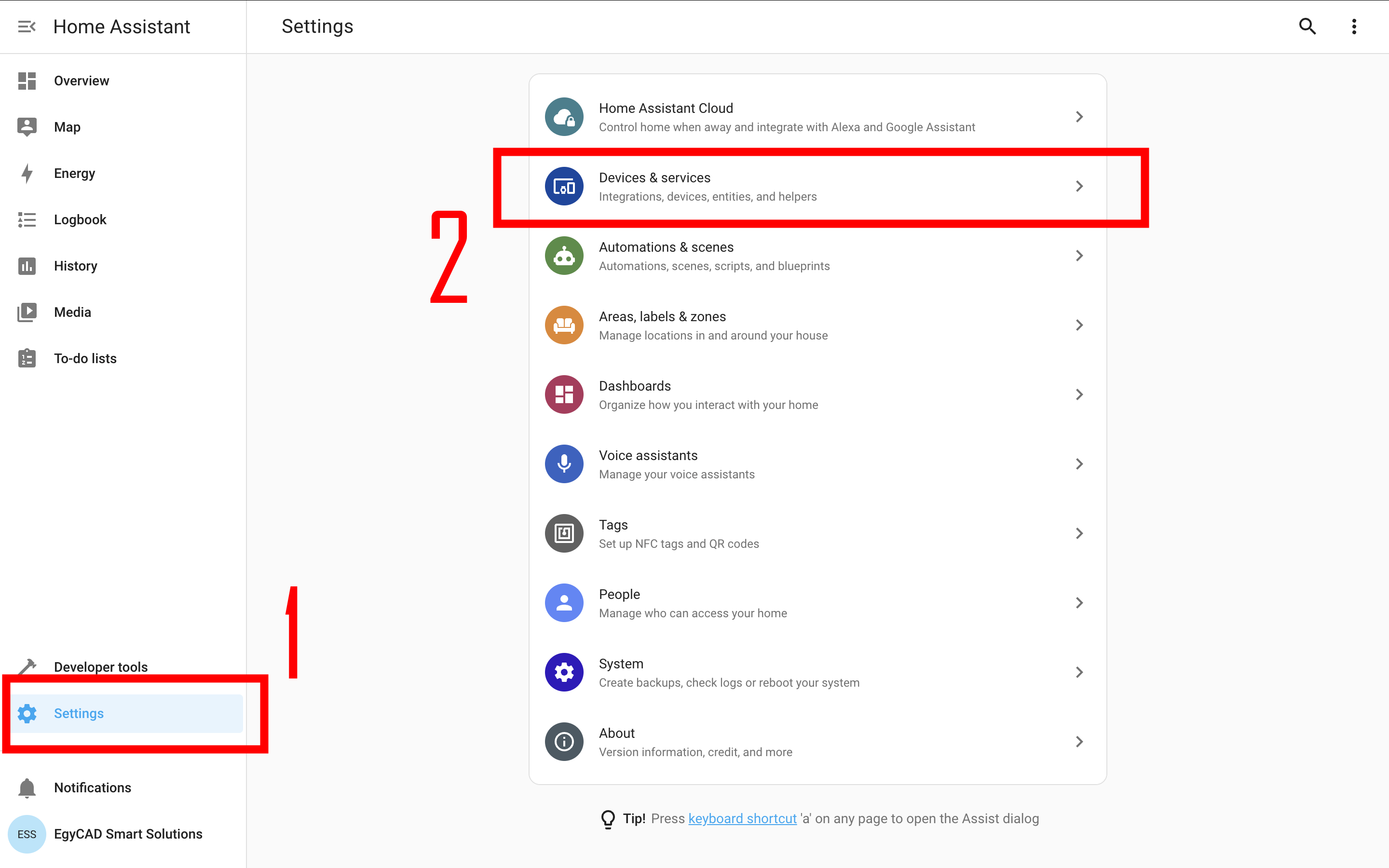
- From Home Assistant side menu go to Settings > Devices & services.
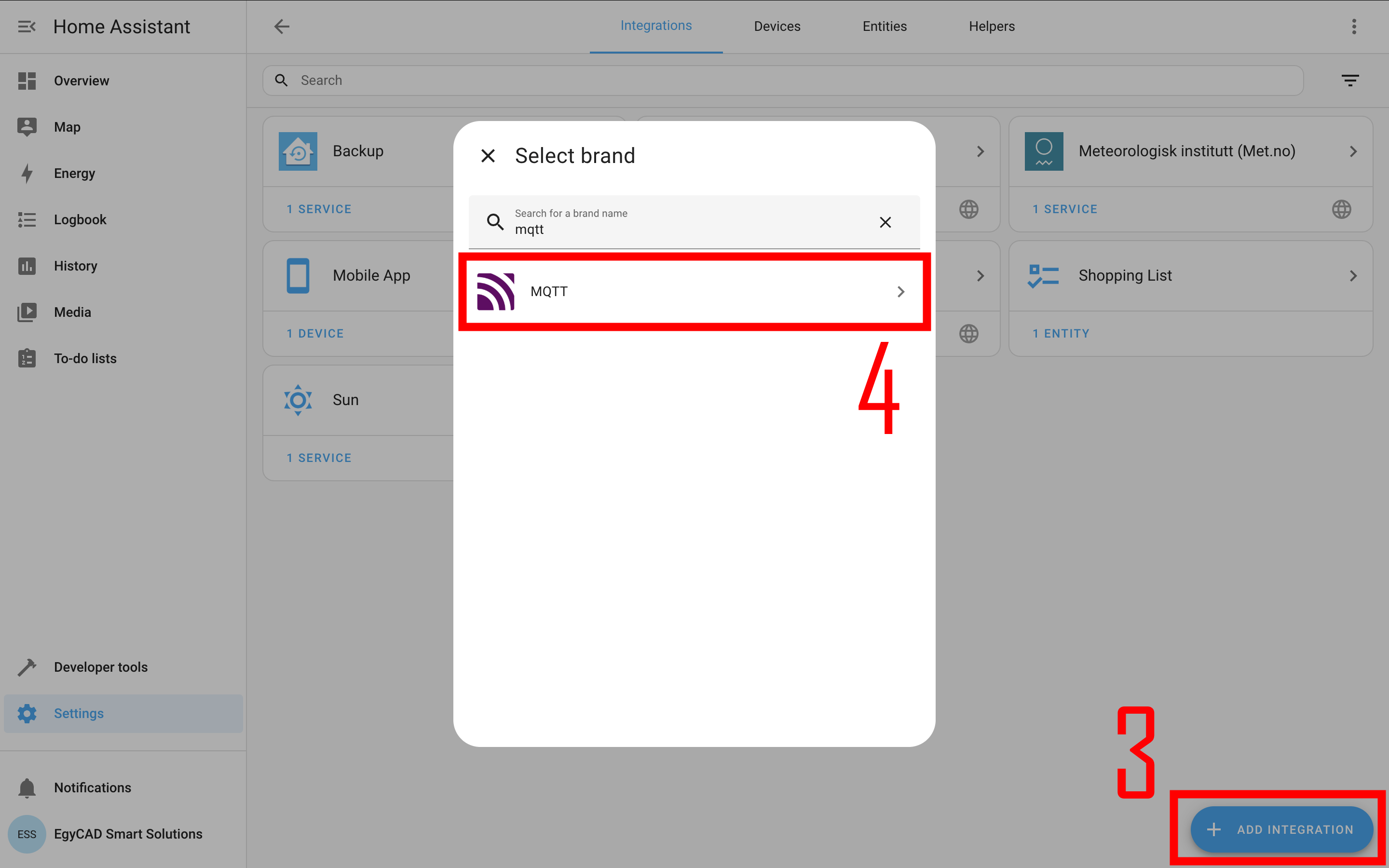
- Click Add integrations and search for MQTT.
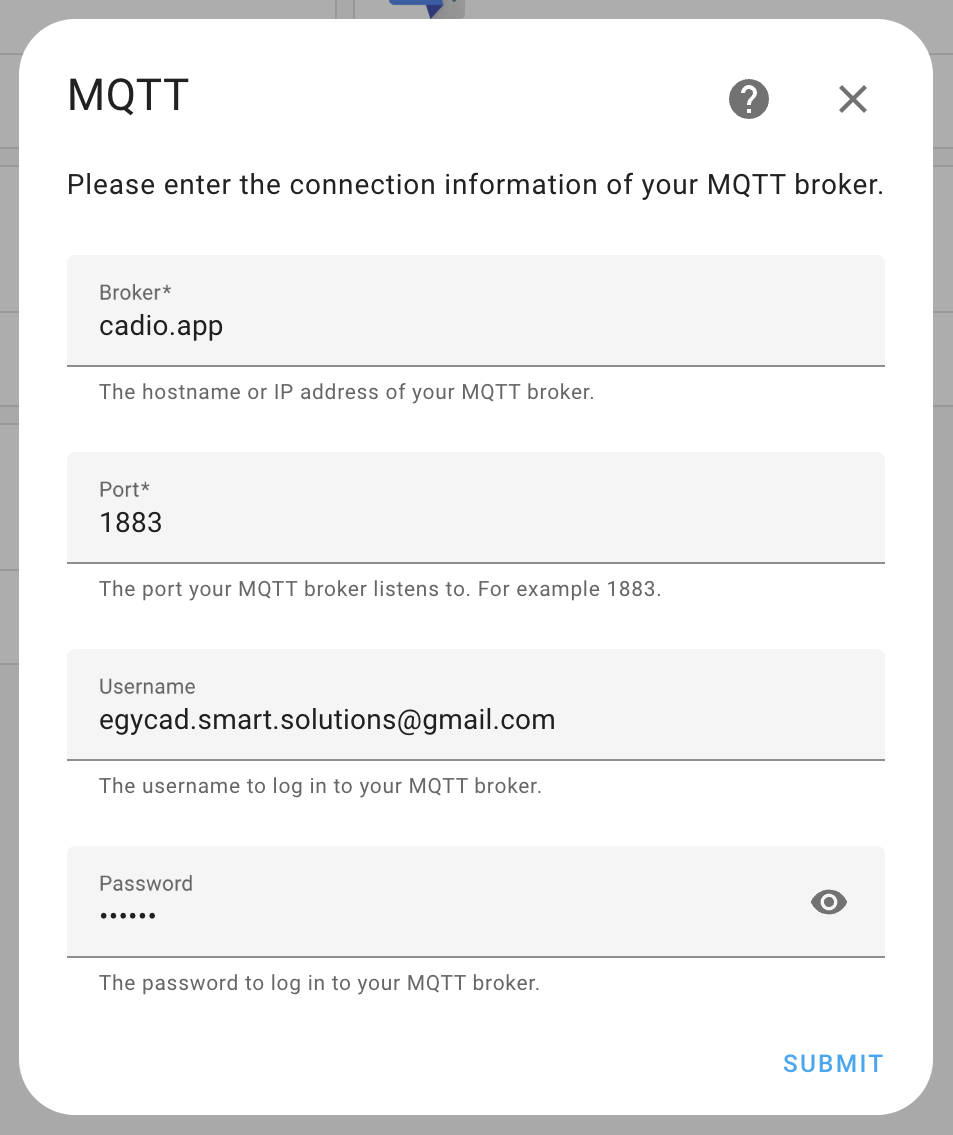
- Set the MQTT connection information:
- Broker: cadio.app
- Port: 1883
- Username: Enter your CADIO account email.
- Password: Enter your CADIO account password.
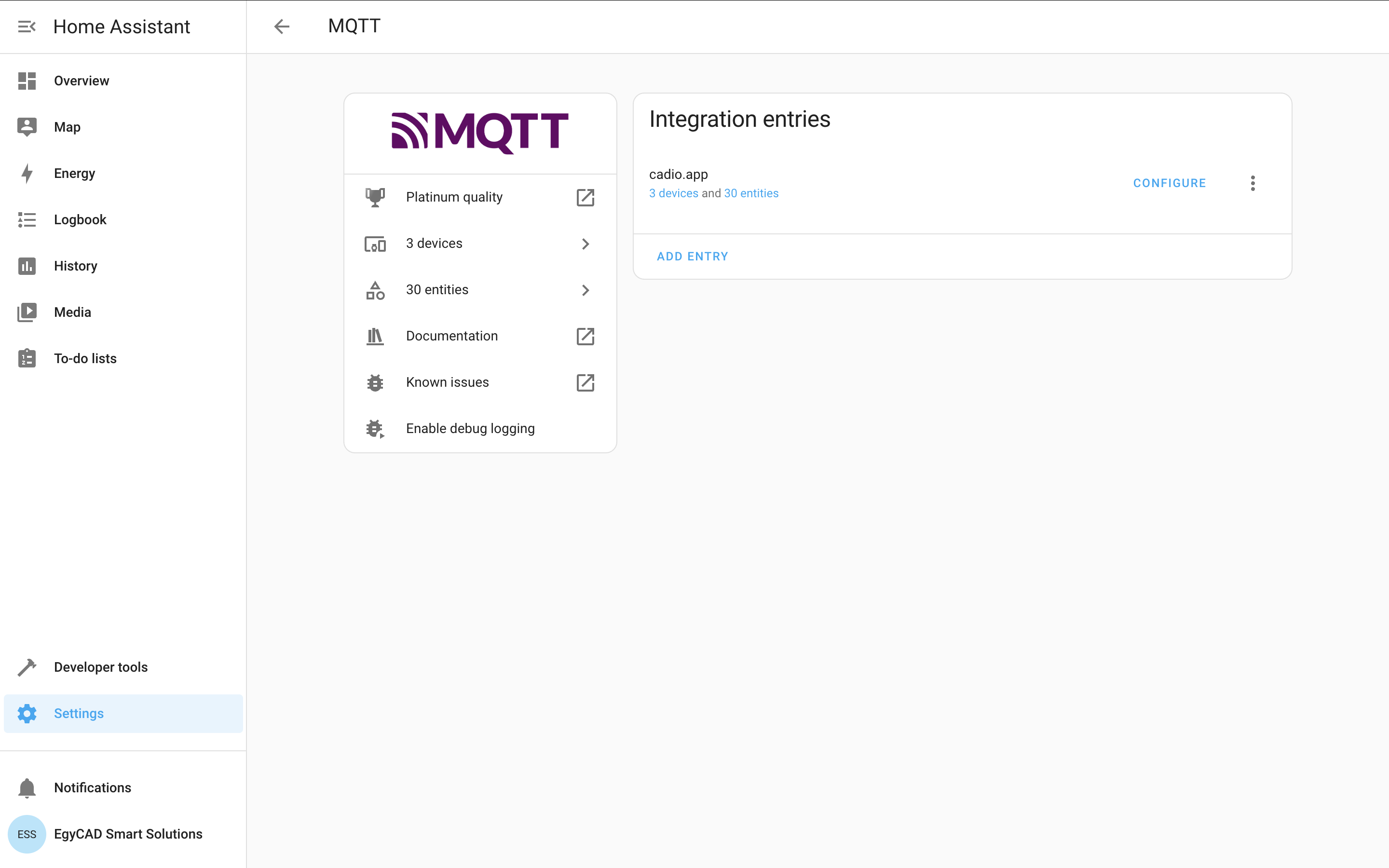
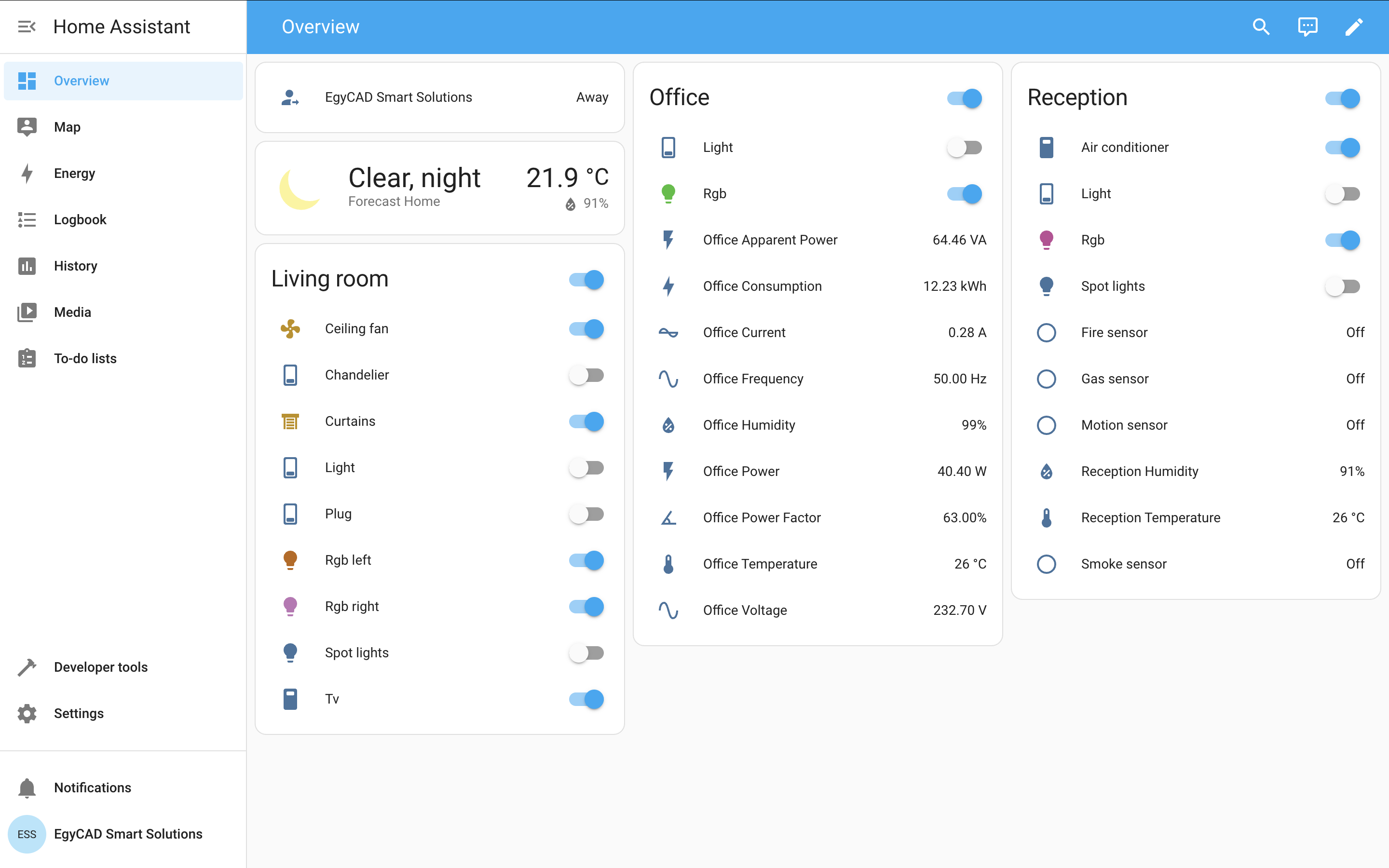
- Your CADIO account is now linked with Home Assistant, and a CADIO MQTT entry has been created.
- Now you can control your smart devices from Home Assistant.
Using CADIO custom integration
Download CADIO Home Assistant custom integration and add it to your Home Assistant in config/custom_integrations folder.